What is a raindance AI video?
A raindance AI video turns a still character portrait into a short dance on a rain soaked city street. The appeal is easy to spot: neon reflections stretch across the pavement, a dancer shifts with an imagined beat, and tiny splashes make the movement feel grounded. It is a visual joke about having your own music video moment when the weather should have ruined the night. The rain supplies the drama, while the character acts like this was the plan all along.
This page uses one look, Neon rain step. A single fictional adult stands in a magenta and cyan street scene and performs a relaxed side step. There is no routine to learn and no menu of unrelated dance styles. The shot is designed around one readable movement that can finish in four seconds. Rain keeps falling throughout, but the foot contact is the visual payoff. That simple relationship gives the viewer something specific to watch even on a small screen.
Think of the result as a generated reaction shot, not footage of an actual storm or a documented street performance. For example, a fictional character named Riley could celebrate finding the last slice of pizza by dancing like the entire block belongs to her. The caption supplies the tiny everyday victory. The neon street supplies an absurd amount of production value for that victory. You can keep the joke dry while everything in the picture gets wet.
How to make a rain dance from one photo
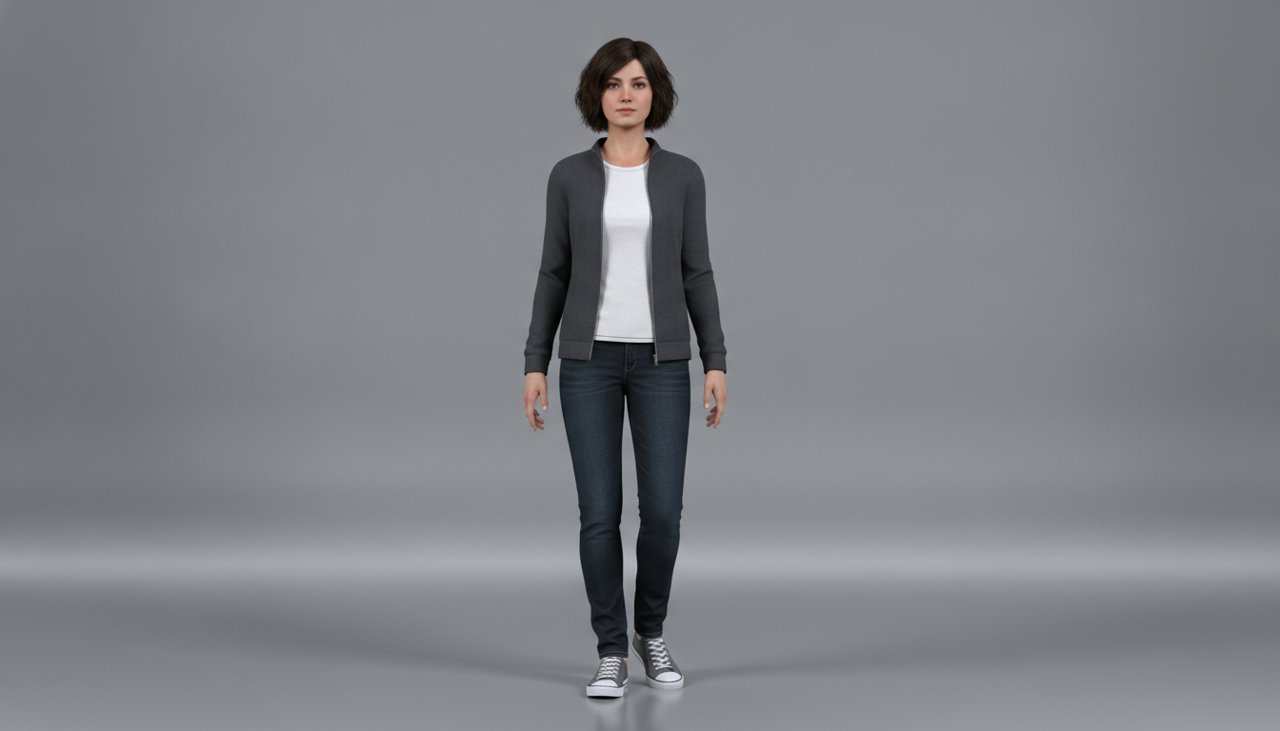
Start with a clear image of one fictional adult. A full body portrait gives the generator useful information about the jacket, pants, shoes, and stance. Leave room below the shoes instead of cropping at the ankles. The dance needs a visible contact point with the pavement, so a close face crop is a weaker choice for this particular effect. A simple source background is fine because the rain scene is built around the subject.
The shot works best when the movement stays small. A side step reads quickly, gives the rain a reason to splash, and leaves the face near its original angle. A jump, spin, outfit transformation, and camera orbit would compete for the same few seconds. Keeping the brief focused also makes it easier to judge the result: the shoes should stay believable, the body should keep its shape, and the puddle should react where the foot lands.
- Upload a sharp fictional character portrait with one visible face, even lighting, and both shoes inside the frame. Avoid reflective sunglasses and hands across the face.
- Use the Neon rain step style. Review the selected output settings and the displayed credit cost before starting the paid generation.
- Watch the completed clip at normal speed and pause at the foot contact. Check for sliding shoes, extra fingers, or a face that changes during the step.
- Save the result you like, then add your own caption and an appropriate sound in your editor. The prompt describes visual timing rather than synchronization to an uploaded song.
When a neon rain dance fits the joke
Use this effect when the caption describes a small win and the picture delivers a wildly oversized celebration. A fictional office character finally closes a spreadsheet. A fictional roommate discovers that someone already washed the dishes. A fictional gamer remembers where the save file lives. These ideas work because the scene looks serious while the reason for dancing is anything but serious. Keep the setup short enough that someone can understand it before the foot touches the puddle.
It also fits an original character series. Give your character the same jacket and recognizable hairstyle across posts, then use the rainy street as the recurring celebration scene. The audience learns what the shot means without needing a paragraph of explanation. For a fictional fashion concept, the wet pavement and colored light can frame a plain outfit, but inspect the garment carefully. Generated motion may change a seam or sleeve, so this is a mood clip rather than proof of an exact product detail.
For vertical feeds, put the landscape clip inside a portrait canvas before deciding to crop. Rain splashes happen near the bottom corners, and a tight center crop can remove the whole point of the shot. A short caption above the image gives the joke context without covering the shoes. Choose any music separately based on the rights and tools available where you post. The dance can suggest a beat, but this preset does not promise that every step will match a particular track.
How much does one rain dance video cost?
This is a paid video effect. Credit packs start at $9.90, and the generator shows the cost for your selected settings before you begin. The pack price is not a promise that every clip costs the same amount. Resolution, duration, and the available model can affect the number of credits used. Check the final selection rather than dividing a pack by an assumed number of videos. That keeps your budget tied to the actual render you are about to request.
There is no subscription required for the credit pack purchase. Start with one carefully framed source and review the first completed result before spending credits on another version. If the dance reads clearly but needs a different caption, edit the caption instead of regenerating the whole scene. If the shoes slide or the face shifts, a better source photo may be more useful than repeating the same request. A completed clip that needs creative adjustments is different from a render that fails technically.
Failed renders receive credits back under the site's failure handling policy. Check the job status and credit balance before submitting the same request again, and keep the job reference if you need support. Generation often takes about a minute, but queues and output settings can extend that wait. Plan ahead if the clip belongs in a scheduled post. The four second action brief describes the choreography; the duration selected in the generator determines the actual exported clip length.
Why use this rain dance preset?
The preset gives the effect a clear center of attention. One character, one step, and one puddle response are easier to read than a crowd performing several moves under flashing lights. You start with a specific scene instead of writing a full music video treatment. The camera stays still so the viewer can follow the feet, while the colored reflections provide enough atmosphere to make the short shot feel intentional. That balance is useful when your caption needs to do most of the storytelling.
The starting image and scene directions also keep the demonstration consistent. The example uses a fictional adult and an unbranded outfit, with no recognizable public figure, song lyric, or storefront sign built into the scene. The visual idea belongs to the character rather than to a borrowed identity. A clear face helps maintain continuity, although likeness and anatomy can still shift during generation. Review the entire shot rather than judging it from the opening frame alone.
You still make the final editorial choices. Keep the full frame when the splash matters, shorten a caption that distracts from the movement, and add sound only when it improves the joke. If the result looks stiff, try a source with a relaxed stance before asking for a bigger dance. A believable small step is often the stronger post. When your fictional character and caption are ready, return to the generator, review the credit cost, and make a neon rain moment that gets to the point.