What is an aura farming AI video?
An aura farming AI video takes a character who is doing almost nothing and makes that moment look impossibly cool. A slow glance, a coat moving in the breeze, and a quiet glow around the silhouette turn a basic portrait into a cinematic entrance. The joke is the gap between how little happens and how much confidence the scene suggests. Nobody needs to deliver a speech or win a fight. Simply looking back becomes the entire event.
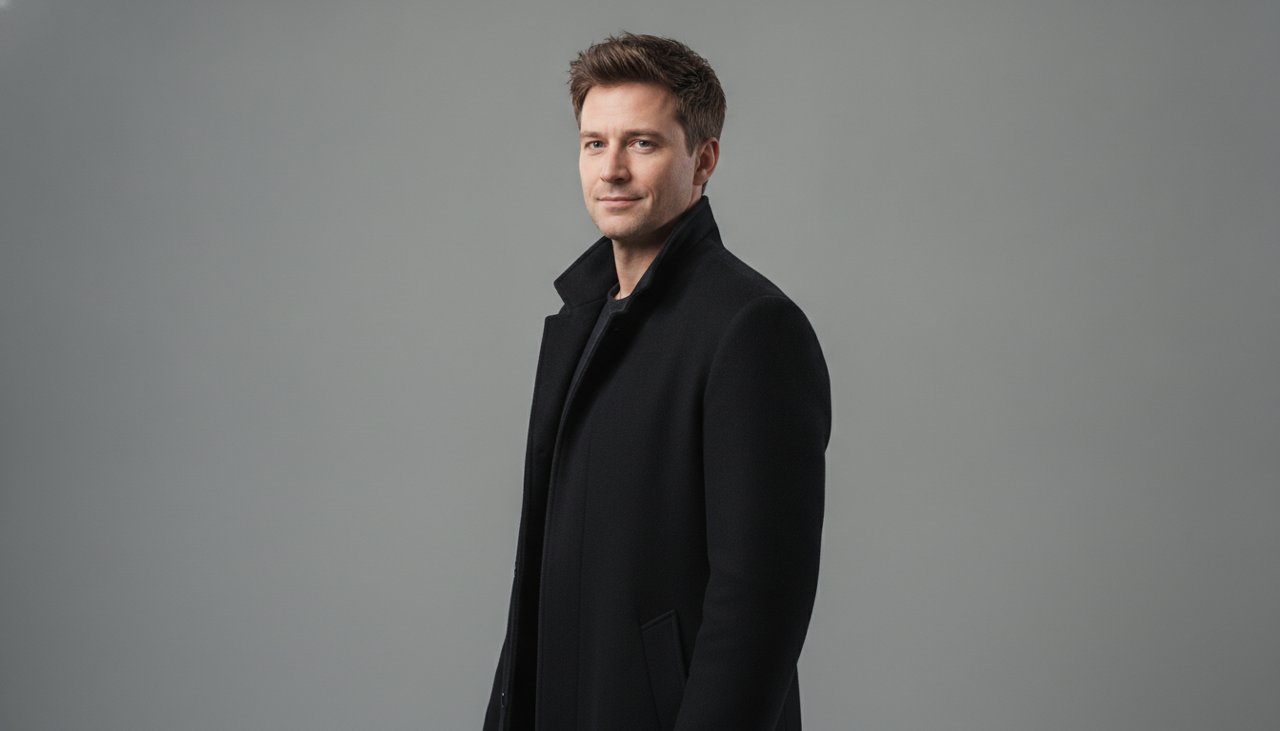
This page uses one style called Quiet aura turn. A fictional adult stands in a calm courtyard at dusk and slowly turns their head toward the camera. The body stays planted, the coat moves slightly, and a pale gold halo separates the character from the background. The effect aims for understated confidence rather than a storm of lightning or a superhero transformation. It is one short visual statement that can be understood before a viewer has time to scroll past it.
A fictional character named Morgan might use this entrance after remembering the password on the first try. The caption can describe an ordinary achievement while the picture treats it like the final scene of a movie. That mismatch is what gives the meme room to be funny. You can also play it straight as an introduction to an original character, but the strongest version still has restraint. Leave something for the audience to project onto that quiet look.
How to build the quiet aura moment
Choose a portrait of one fictional adult with the face visible at a slight angle. A three-quarter view gives a head turn somewhere to go without asking the model to invent a face from the back of a head. Keep the shoulders relaxed and leave space around the outline of the coat. The glow needs separation from the background, and the wind needs a visible edge of fabric. A tightly cropped face can lose both of those details.
Keep the expression neutral or mildly confident in the source. A wide open mouth, exaggerated grin, or strongly tilted head can pull the result away from the quiet mood. The preset asks for one slow turn, not a change of costume or a new facial expression halfway through. That makes the review simple: watch whether the eyes remain aligned, the neck turns naturally, and the glow stays around the body instead of washing out the facial features.
- Upload a sharp image of your fictional character with a visible face, simple clothing, and enough room to see part of the coat hem.
- Use Quiet aura turn and review the selected output settings. Confirm the credit cost shown before requesting the paid render.
- Watch the full head turn before choosing the clip. Check the jawline, eyes, collar, and background for distracting shifts during the movement.
- Add a short caption in your editor if the scene needs a joke. Keep text away from the face and leave the final look enough screen time to register.
Where the aura farming moment works
This effect works well as a reaction to a tiny personal victory in a fictional story. The character brings the correct charger, chooses the fastest checkout line, or arrives with exactly the right snack. Those details give the confidence a reason to exist without requiring a complicated setup. A caption that explains every part of the joke usually weakens it. Let the calm look carry some of the meaning, and let the audience recognize the exaggerated self importance on its own.
Original character accounts can use the same shot as a recurring introduction. Keep a familiar hairstyle and a plain coat so the character reads consistently across episodes. The aura becomes a visual cue that the character thinks something impressive just happened. For a fictional fashion mood board, the moving coat can suggest attitude and shape, but generated fabric is not a reliable demonstration of a real garment. Avoid using the clip to prove a specific material, cut, or construction detail.
The scene also makes a useful pause between faster edits. Place it after the setup and before the punchline, or let it be the punchline itself. On a vertical feed, preserve space around the shoulders so the halo does not get cropped into a bright stripe. If you add music, choose it separately and use audio you have the right to publish. The visual preset does not need dialogue, and its slow turn should still make sense when someone watches with the sound off.
How much does an aura farming clip cost?
Aura farming clips use paid credits. Credit packs start at $9.90, while the amount charged for a generation depends on the selected settings shown in the generator. A pack is a balance you spend, not a fixed promise about the number of aura clips it will produce. Read the model, resolution, and duration selection before starting. A short, focused effect can still have different credit costs when those output choices change.
You do not need a subscription to buy the credit pack. Prepare the source image first so your initial render tests the scene rather than a photo you already know is too dark or too tightly cropped. If the glow looks good and the head turn works, a different caption does not require another generation. If the neck twists oddly, try a less extreme starting angle. That is a more targeted adjustment than asking for stronger wind, brighter light, and a larger turn all at once.
A technical render failure receives credits back under the site's failure policy. A finished clip with an expression you dislike is a different situation, so review the result before deciding what to change. Generation often takes about a minute, but queue conditions can add time. The movement brief is designed for four seconds; the actual export follows the duration selected at generation. Give yourself room to review the shot before the moment when you intend to post it.
Why use this aura farming preset?
The preset makes restraint part of the design. A single head turn gives the viewer a face to follow, while the wind and halo support that action without creating a second storyline. You do not have to describe an entire fantasy world to get a cinematic mood. The uncluttered courtyard, dark coat, and gentle outline light create contrast around one person. That is especially useful on a phone, where elaborate backgrounds can become visual noise instead of atmosphere.
The sample uses a fictional adult and avoids recognizable costumes, logos, or public figures. You can build a character with a distinct attitude without borrowing a celebrity's identity or an existing screen hero. The scene direction asks to preserve the source face and clothing, but generation can still change details. Watch the eyes, ears, and collar as the head turns. A convincing opening frame alone does not tell you whether the movement will hold together through the last second.
The final edit stays simple. Pick one caption, leave room around the silhouette, and resist stacking several dramatic effects over the glow already in the shot. If the humor comes from an ordinary achievement, let that ordinary detail remain specific. A character who calmly celebrates finding a matching sock is more memorable than a vague claim about being powerful. Choose your fictional portrait, check the displayed credit cost, and give that one slow look the space it needs to land.