What is an AI clone video?
An AI clone video places several copies of the same character in a single moving shot. Instead of switching between separate portraits, the viewer sees the copies share one space and perform an action together. The effect is immediately readable: the same face, the same outfit, and more than one version of the person. It can suggest a personal backup team, an overstaffed meeting, or the familiar feeling of needing three people to finish one person's to do list.
This page uses one style, Triple synchronized wave. Three copies of a fictional adult stand side by side on a simple studio floor. They raise their right hands together into a greeting pose and hold it. The action is designed to finish within four seconds, with no walking between positions and no extra characters appearing halfway through. A plain setting keeps the attention on the duplication rather than on a complicated background or a second visual effect.
The copies are an intended visual match, not a guarantee of pixel perfect identity. Generated faces, hands, and clothing can vary slightly between figures or across frames. A fictional character named Jordan might introduce the trio as the planning department, the snack department, and the department that forgot the plan. The caption creates those roles; the video provides the repeated character. You do not need three separate costumes or three different actions for the idea to make sense.
How to make three copies from one photo
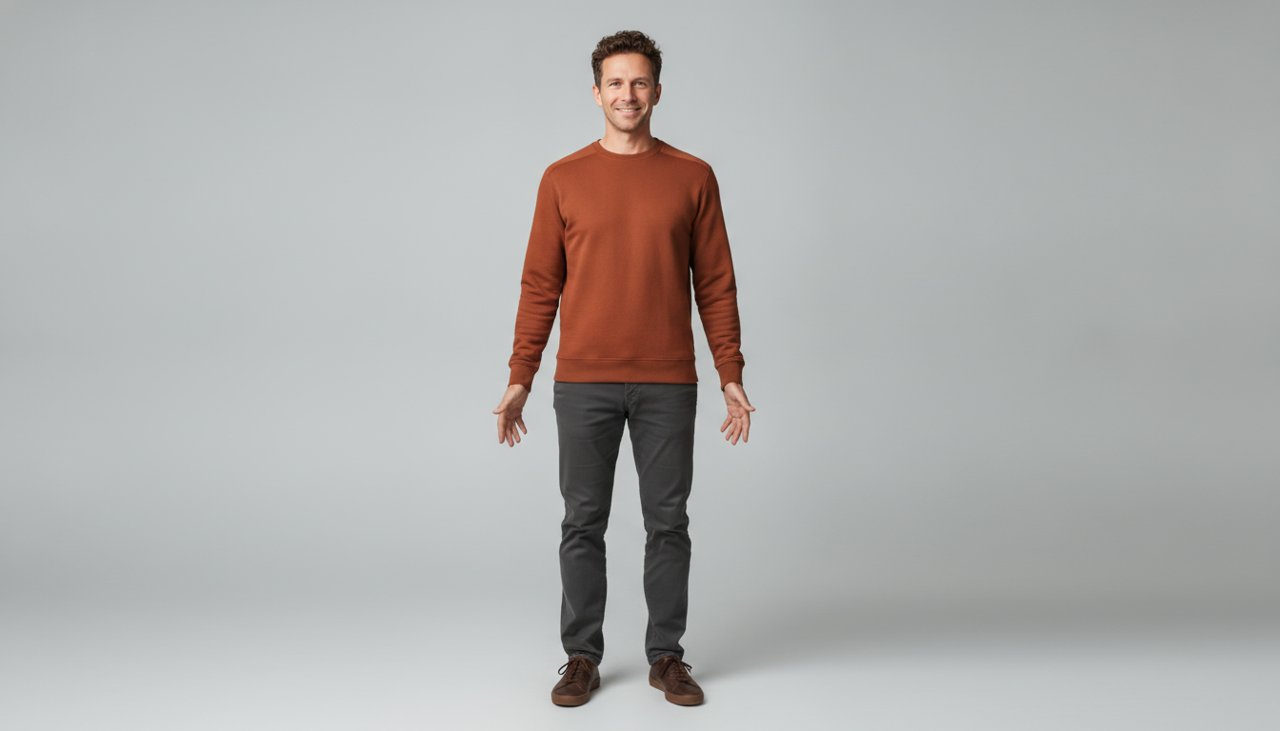
Choose a clear image of one fictional adult in simple clothing. Full body framing helps establish consistent proportions, while visible hands give the greeting a useful starting point. A plain sweatshirt is easier to compare across copies than a dense printed pattern. Leave the arms relaxed and separate from the torso in the source. That makes it easier to see whether each generated figure has its own clean outline when the hands rise.
The scene creates three matching figures before the motion begins. They stay in their own positions and perform the same small movement. This avoids asking the video to split one body into three while also changing the camera angle or starting a dance. The duplication is already present in the opening composition, and the synchronized greeting shows that all three figures belong in the same shot. The idea is a trio in motion rather than a dramatic transformation sequence.
- Upload one fictional character portrait with clear facial details, visible hands, and a simple outfit. Avoid a group photo or a source with overlapping arms.
- Use Triple synchronized wave. Check the selected output settings and the displayed credit cost before starting the paid generation.
- Review all three figures throughout the movement. Look for changed faces, uneven arm timing, extra hands, or bodies that merge near the edges.
- Save the result and add a caption in your editor. Keep the full trio inside the frame so viewers can understand the duplication without needing an explanation.
When a synchronized trio makes the joke
The effect works especially well for jokes about too many responsibilities. A fictional character can be the entire imaginary office, a one person moving crew, or three versions of the same indecisive shopper. Keep the caption specific enough to give each copy a reason to exist. The trio does not need to act out those jobs on screen. Matching faces and one shared gesture already communicate that the character has somehow recruited more of themselves.
Original character accounts can use the clones as a recurring visual format. One episode might describe the trio as Monday, Tuesday, and the version still thinking about the weekend. Another could label them as three equally unhelpful advisers. Add those labels in your editor rather than asking the image model to write them on clothing or signs. Typed captions keep the spelling under your control and make it easier to change the joke without generating another video.
The wide arrangement also fits a fictional team introduction or a playful opening for an original music edit. Any music should be selected separately with the appropriate rights. For a vertical feed, preserve the landscape composition inside a portrait canvas instead of cropping straight through the outer figures. Put labels above or below the bodies, and check that app controls will not cover the person on the right. The viewer should be able to count three distinct copies at a glance.
How much does an AI clone clip cost?
Clone videos use paid credits. Credit packs start at $9.90, and the generator displays the credit charge for the output settings you select. The pack price is not a fixed price per video or a guarantee of a certain number of completed clips. Model, duration, and resolution choices can affect how much of your balance a generation uses. Check the displayed cost before starting, especially if you change the settings after preparing your source photo.
No subscription is required for a credit pack. Start with one clear source and inspect the first result before requesting additional versions. If all three copies look consistent, changing the caption can produce a new use for the same clip. If one copy has a distorted hand or a different face, simplify the source clothing and check the spacing in the composition. Asking for more copies would make that problem harder to inspect rather than automatically making the scene more impressive.
Failed renders receive credits back under the site's failure policy. A technically completed clip with small differences between the copies is not automatically a failed render, so distinguish job status from creative quality. Keep the job reference if you need support with an actual failure. Generation often takes about a minute, though the queue and output settings can add time. The greeting is planned as a four second action, while the selected generator duration controls the exported clip length.
Why use this clone video preset?
The preset keeps the duplication easy to judge. Three figures stand on the same floor, receive the same light, and make one shared movement in a fixed wide shot. You do not have to stage several performances and manually combine them into a single frame. The plain background gives each silhouette enough separation to read clearly, while a small arm raise makes the synchronization visible. It is a focused way to turn one fictional character into a tiny cast.
The example starts from an original fictional adult rather than a real person's likeness. All three copies are asked to keep the same hairstyle, face, and plain outfit, with no logos or recognizable costume. Those directions support consistency, but they do not eliminate the limits of generation. Compare the left, center, and right figures instead of watching only the middle one. Hands, sleeve lengths, and floor shadows are useful places to spot differences that could distract from the joke.
The final edit can stay light. Give the trio one caption, keep enough space between the figures, and let the synchronized greeting establish the effect before adding anything else. If the composition feels crowded, preserve the wide frame instead of covering the outer copies with large text. A clear three person joke often works better than a busy crowd. Choose your fictional character image, review the credit charge, and build a short scene where one familiar face has a little extra help.