Burning Bridges AI Video GeneratorPut yourself in the viral chandelier party scene from one photo

3 party scenesFrom one photoAdd your own song

Choose a style

30 credits per video

Download in HD without watermark

One-time credit packs. No subscription, credits never expire.

More videos made on TapToVideo

Pay once, no subscription · Ready in about a minute · Failed renders are refunded

Seedance 2.0 Mini
Made with this tool, style "Party wave", 480p, 4 seconds.

Burning Bridges AI video examples

Party wave
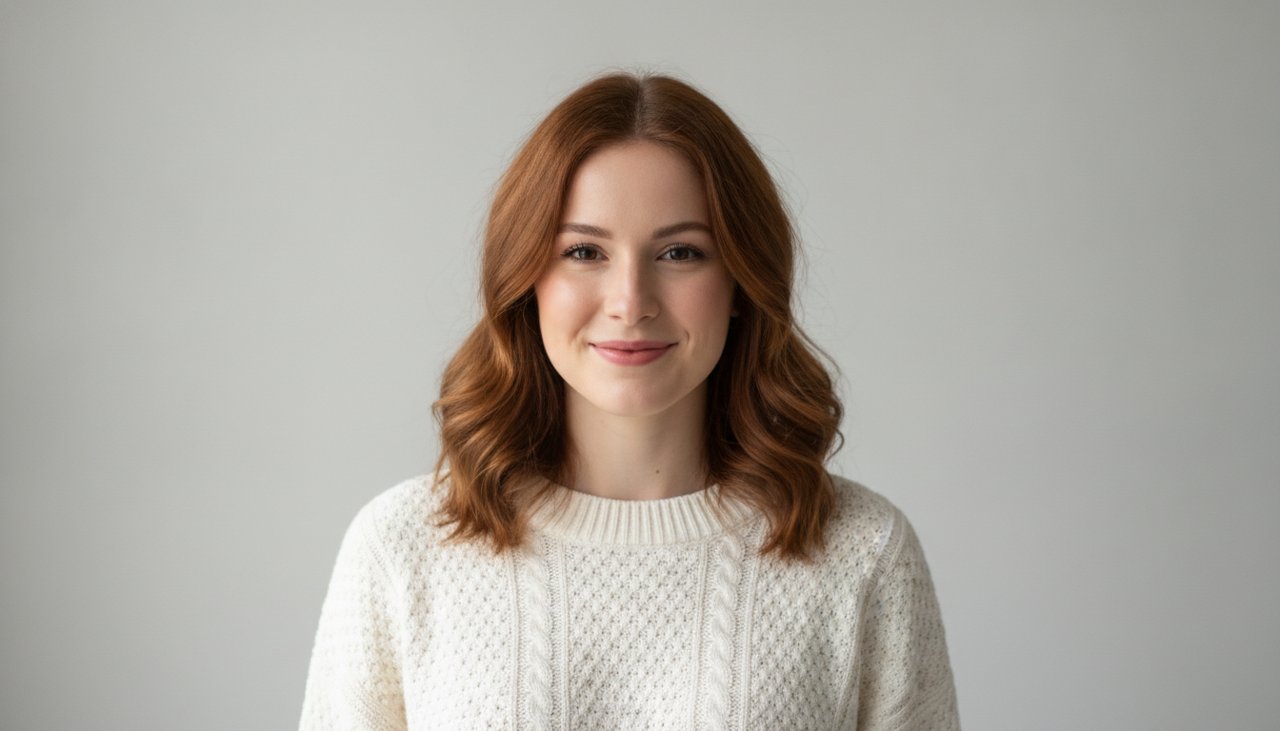
Input photo for Party wave

Made 2026-10-20 · unedited

Show prompt

Handheld camera drifts slowly toward the person at the center of the party, the person grins, bobs their head and shoulders to the beat and waves at the camera with one hand, the friends behind them laugh, cheer and raise their silver cups, the chandeliers glow warm gold. One continuous shot. The person does not sing or talk, mouth relaxed or smiling. No text. Keep every face, body and outfit exactly as in the photo. Natural, realistic motion.

Where she at
Input photo for Where she at

Made 2026-10-20 · unedited

Show prompt

The person lifts one hand flat above their eyebrows like a sun visor and slowly turns their head from left to right, scanning the room as if looking for someone, then lowers the hand and gives a puzzled little shrug with a smirk, the guests behind them laugh, slight handheld camera sway, warm chandelier light. One continuous shot. The person does not sing or talk. No text. Keep every face, body and outfit exactly as in the photo. Natural, realistic motion.

Dinner toast
Input photo for Dinner toast

Made 2026-10-20 · unedited

Show prompt

The person raises a glass toward the camera with a big smile, the friends along the table lift their glasses and lean in to clink them together, everyone laughs, candle flames flicker, the handheld camera slowly pushes in toward the person. One continuous shot. Nobody sings or talks to the camera. No text. Keep every face, body and outfit exactly as in the photo. Natural, realistic motion.

Each clip was made with this effect on our site, one per style. Choose a style above to make your own.

Sample people are AI-generated. Clips are free to reuse with credit and a link to TapToVideo.com.

What is the Burning Bridges AI trend?

Short answer: the Burning Bridges AI trend is a wave of short AI videos that put a new person into the party scene from Drake's "Burning Bridges" music video, often doing the "Where she at?" hand over the eyes gesture. The song is on Drake's album Iceman, released on May 15, 2026, and the official video came out with it. Its second half is the part everyone copies: a warm, crowded private dining room under crystal chandeliers, a handheld camera that drifts close to one person, and a group of friends behind him raising cups and laughing at the lens.

The mix of gold light, dark wood and close, slightly shaky camera work is easy to recognize in a feed, which is a big part of why it turned into a template.

In September and October 2026, months after the song came out, people started using AI video tools to put themselves, their friends, their pets and famous TV characters into that scene. By October the clips were all over TikTok, Instagram Reels and X, and entertainment pages were posting roundups of their favorite versions. This page lets you make your own take on the format from a single photo, without using the original footage.

TapToVideo is an independent tool and is not affiliated with Drake, OVO or Republic Records. We do not use the original music video or the song.

Where does "Where she at?" come from?

The line comes from the chorus of the song, where Drake asks "Where she at? Yeah, where she at?". In the AI clips people act it out: one hand held flat above the eyes like a sun visor, the head turning slowly as if scanning the room for someone who is not there.

The gesture works as a joke on its own, so creators use it for anything that went missing: a friend who left the party early, a date who never showed up, a lost phone, or the pizza that was supposed to arrive an hour ago. Our Where she at scene is built around that move, so you get it in your clip without having to film yourself doing it.

How to make your own Burning Bridges AI video

No account is needed to start.

  • Upload a clear photo of yourself or a friend who agrees to be in the video. A waist up photo with the face clearly visible works best.
  • Choose a scene: Party wave, Where she at or Dinner toast.
  • Complete the quick security check and click Create video.
  • Wait about a minute, then download the clip as an MP4.
  • Optional: on a video made with credits, add a song from your device and captions in the browser before you download.

Three party scenes to choose from

Each scene first places the person in your photo in a new party room, then animates one short, continuous handheld shot. The face, hair and outfit stay the same as in your photo. The friends in the background are AI generated strangers, not real people, and Drake does not appear in your video.

  • Party wave: the closest match to the trend. You stand at the center of a packed, chandelier lit dining room, grin and wave at the camera while the friends behind you cheer and raise silver cups.
  • Where she at: the meme gesture. You lift one hand above your eyes, scan the room from side to side and finish with a puzzled shrug, while the guests behind you laugh.
  • Dinner toast: a calmer version at a long dinner table. You raise your glass toward the camera, the whole table clinks glasses and the camera slowly moves in on you.

One photo template or face swap: what is the difference?

When people search for a Burning Bridges AI video, they usually mean one of two formats. A face swap takes a short piece of the real music video and replaces the person in the middle with someone else, keeping the original room, crowd and camera move. A one photo template, like this page, does not touch the original footage at all. It creates a new room in the same style and puts you in it.

The swap looks closer to the real video, but it is built on copyrighted footage and on the face of a real artist, and it usually needs a clip, several photos and a few tries. The template is faster, needs only one photo and gives you a clip that shows you, not someone else. We chose the template route on purpose: your video is a lookalike party room, not the real restaurant and not the real people from the video.

Which photos work best

The scenes are close, handheld shots, so the face matters more than the full outfit. These tips give the most convincing results:

  • Use a photo with one person in it. Crop a group photo down to the person you want.
  • Face the camera with both eyes visible, without sunglasses or a hand covering the face.
  • A waist up photo works better than a tiny full body shot.
  • Soft, even light blends into the warm party room better than harsh flash or heavy filters.
  • Only upload photos of yourself or of people who agreed to it. Photos of celebrities, including the artist, and of people who did not agree are not allowed.

Adding the song

The trend is built on the song, but we do not provide copyrighted music. Once you have a video made with credits, you can pick a song from your own device and the page mixes it with your clip right in your browser. The song is never uploaded to our servers. You can also add short captions, then download the result as one video file. If you post the video publicly, you are responsible for having the right to use the song.

If you plan to post on TikTok or Instagram, another option is to download the silent clip (made with credits) and choose the trending sound inside the app. That way the platform links your post to the sound page, which can help more people find it.

Ideas for your Burning Bridges clip

The format is funniest when the setup is relatable. A few ideas to try:

  • Where she at, captioned with the friend who said they were five minutes away forty minutes ago.
  • Party wave as your birthday, graduation or new job post.
  • Dinner toast after a team dinner: everyone makes their own clip and you cut them together.
  • A before and after: your normal photo first, then you in the chandelier room.

Posting your video on TikTok, Reels and Shorts

The clip is a landscape 16:9 video. TikTok, Reels and Shorts show vertical video best, so place it in the vertical editor of the app and add a blurred background or a caption above and below it. Keep the first second simple: the wave or the hand over the eyes is your hook.

Write a caption that sets up the joke, for example who you are looking for or what you are celebrating. Tag it as AI made where the app asks you to; TikTok and Instagram both have a label for AI generated content.

What a video costs

The sample video on this page is there to watch before you decide. A 480p clip with 4 seconds costs 30 credits, and an HD clip at 720p with 8 seconds costs 80 credits. Videos made with credits have no watermark and download as an MP4.

To make one, create an account and pick a credit pack. You can buy one-time credit packs, no subscription. The smallest is 1,000 credits for $9.90, enough for about 33 videos of this effect. Credits never expire and are only taken when a video starts; if the render fails, they return to your balance automatically.

What happens to your photo

Your photo is sent to the AI model only to create your video. Uploaded photos are deleted after 24 hours, and we never publish your photos or videos anywhere. The finished clip is yours to download as an MP4 file.

Frequently asked questions

What is the Burning Bridges AI trend?

It is a format of short AI videos that put a new person into the chandelier lit party scene from Drake's "Burning Bridges" music video, often with the "Where she at?" gesture. It spread on TikTok, Instagram and X in September and October 2026.

What song is used in the Burning Bridges AI videos?

Most versions use "Burning Bridges" by Drake, a track from his album Iceman, released on May 15, 2026.

What does Where she at mean in the trend?

"Where she at?" is a line from the chorus of the song. In the videos people hold a hand flat above their eyes and scan the room, as if looking for someone. Our Where she at scene animates that gesture for you.

Is there a free option for the Burning Bridges AI video generator?

There is no free generation: a finished clip is paid because the AI render has a real cost. A 480p clip costs 30 credits and an HD clip at 720p costs 80 credits. If a render fails, the credits return to your balance.

How do I make a Burning Bridges AI video?

Upload one clear photo of yourself, choose Party wave, Where she at or Dinner toast, and click Create video. After about a minute you can watch the result, then download it in HD with credits and add a song in your browser.

Will Drake be in my video?

No. Your video shows the person from your photo in a new party room, with AI generated strangers in the background. We do not use the original music video footage or anyone's face except the one in your photo.

Can I use a photo of a celebrity or a friend?

You can use a photo of a friend who agrees to it. Photos of celebrities and of people who did not agree are not allowed, and our automatic safety check may reject them.

Does the video include the Drake song?

No. We do not provide copyrighted music. On a video made with credits you can add a song from your own device in the browser, or pick the trending sound inside TikTok or Instagram when you post.

Is TapToVideo connected to Drake or the music video?

No. TapToVideo is not connected to Drake, OVO, Republic Records or the makers of the music video. This page only lets you make your own clip in a similar party style.

More AI video effects

Bigfoot Video Generator

Upload a photo, and Bigfoot shows up in your video

AI Dance Video Generator

Upload one photo and watch it dance

AI Music Video Generator

Animate your cover art, then add your song and lyrics

AI Rap Duo Video Generator

Two photos in, one rap duo video out

Hotel Lobby AI Video Generator

The viral orange booth trend: solo, as a duet or with your pets

Bulin 47 AI Video Generator

Star in the viral street freestyle trend, solo or with a friend

AI 80s Video Generator

One selfie, straight back to the 1980s

AI Car Drift Video Generator

One photo, one cinematic drift scene

AI Rumpelstiltskin Meme Generator

Make the viral AI tiptoe meme from one photo

AI Action Figure Generator

Turn your photo into a boxed toy, then watch it come to life

AI Hug Video Generator

Two photos in, one warm hug out

AI Muscle Video Generator

Turn one photo into a funny muscle transformation

AI Football Video Generator

Turn one photo into a soccer goal celebration in a packed stadium

Walking Away From Explosion AI Video

Turn one photo into a cool action movie walk with a fireball behind you

AI Halloween Video Generator

Turn one photo into a spooky, funny Halloween clip

Zombie Love Story AI Video Generator

One of you is infected, the other chooses a hug

Smalltown Boy AI Video Generator

Two photos in, one viral scream and dance clip out

Crazy Frog AI Video Generator

Ride the invisible moped, with a friend on your tail

I Mog My Old Self AI Video Generator

Share the frame with an imagined past version of you

Hair Transition AI Video Generator

One small turn, one new hairstyle, one continuous shot

Run It Back AI Video Generator

Turn one photo into a Jersey Club dance, then add rewind edits in CapCut

Birthday AI Video Generator

Give one photo a birthday moment worth sending

Funny Birthday Video Maker

One photo, one cake, one very surprised face

Personalized Birthday Song Video

A happy beat, built around one photo

Animate Old Photos

A blink, a smile, a moment that moves again

Memorial Video Maker

One photograph, held with care

AI Christmas Song Video

Your photo, a warm beat, a little December sparkle

Raindance AI Video Generator

A neon night, a little rain, and one perfectly timed step

Aura Farming AI Video Generator

One slow look back. The coat and the glow do the talking.

Earth Zoom Out AI Video Generator

Start with one character. End with a whole new perspective.

Car Jump AI Video Generator

Give a fictional driver one big movie moment in a short ramp hop

AI Clone Video Generator

One character becomes a trio, with all three in on the same joke

Animate a Photo with Subtle Natural Motion

One portrait, a blink and a gentle smile. Pay once with credits, no subscription.

Transformer photo en vidéo with AI

One photo becomes a short moving moment. Pay once with credits, no subscription.

AI Rap Video Generator

Turn one photo and your lyrics into a solo rap music video

All AI video effects

Browse every effect with a preview video of each style.

Image to Video AI

Describe any motion in your own words and animate any photo.